
Navigation is certainly an important skill when it comes to hiking, but it’s also perhaps one of the simplest to neglect, and particularly so if you’re using clearly marked trails and/or routes that many people follow.
The temptation is there to simply trust in the trail signs, familiar routes, or even simply following behind another group of hikers.
However, this can all quickly fall apart when weather conditions, time constraints, or route changes occur.
While modern GPS devices and applications make it much easier than ever before to navigate your way around while hiking, relying solely on these will can leave you vulnerable.
Phones run out of charge, lose signal strength, and/or the clarity that the routes shown on a small phone screen may be misleading.
Along with showcasing a variety of navigation products (GPS device etc.) and how to use them, the main purpose of this article will be to assist you in developing a trusted method for navigating your way through the UK/Europe (and beyond) by teaching you how to select/choose and then utilize appropriate navigation tools for hiking.
- Quick Guide: Choosing the Right Navigation Setup at a Glance
- How to Choose a Navigation System
- Power and Battery Management
- Navigation in Real Hiking Conditions
- Common Mistakes to Avoid
- Fit, Comfort & Practical Use
- How Navigation Fits Into Your Overall Setup
- Care, Maintenance & Reliability
- Explore Navigation Options by Use Case
- FAQs About Navigation & GPS
- Where to Next?
Quick Guide: Choosing the Right Navigation Setup at a Glance
You can use these as starting points to match your navigation setup to your hiking style:
Well-Marked Trails & Popular Routes
Simple GPS apps and offline maps are usually enough when routes are clearly defined.
Remote or Less-Marked Trails
More reliable offline navigation tools and backups become important.
Multi-Day Walking Holiday
A balanced system with offline maps, power backup, and simple redundancy.
Long-Distance Treks & Navigation-Heavy Routes
More robust setups combining GPS tools with map awareness and backup options.
Lightweight & Minimal Setups
Simple, efficient systems that prioritise ease of use and low weight.
“First time on the trail? Hiking for Beginners has your back.”
How to Choose a Navigation System
Navigation isn’t about one tool. Rather, it’s much more about building a system you can rely on when the conditions themselves change.
Phone-Based Navigation: The Most Common Setup
Your phone is probably already doing most of the heavy lifting when it comes to navigation, and honestly, for a lot of trails, that’s completely fine.
Apps like Gaia GPS or AllTrails give you detailed topo maps, trail markers, and the ability to download everything before you even leave the car, which matters more than people realize once you’re somewhere without signal.
The catch is your battery, which will disappear faster than you expect in the cold or with GPS running all day.
Bring a power bank. And when you drop your phone once on wet rock, you’ll quickly understand why a dry bag isn’t optional!
Let’s put it this way, phone-based navigation works well…as long as you prepare properly.Navigation is only one part of staying prepared.
Having the right day hiking essentials will also help you stay safe and comfortable throughout your hike.

GPS Apps and Offline Maps
Here’s the thing that most people figure out the hard way: cell service disappears the moment that you actually need it!
Before you leave, download your maps and save your route as a GPX file, and then double check that your app can track your position using GPS alone, because GPS and cell service are two completely different things.
Your phone can pinpoint exactly where you are on a mountain with zero bars, but only if you’ve set it up correctly beforehand.
That five minutes of prep at home alone is the difference between a confident hike and a genuinely stressful situation.
Dedicated GPS Devices: When Do They Make Sense?
Dedicated GPS devices are less common but still useful in certain situations.
They’re most relevant when:
- you’re hiking in remote areas
- battery reliability is critical
- you want a device separate from your phone
For most walking holidays and standard hikes, they’re not essential, but they can and do provide an extra layer of reliability.
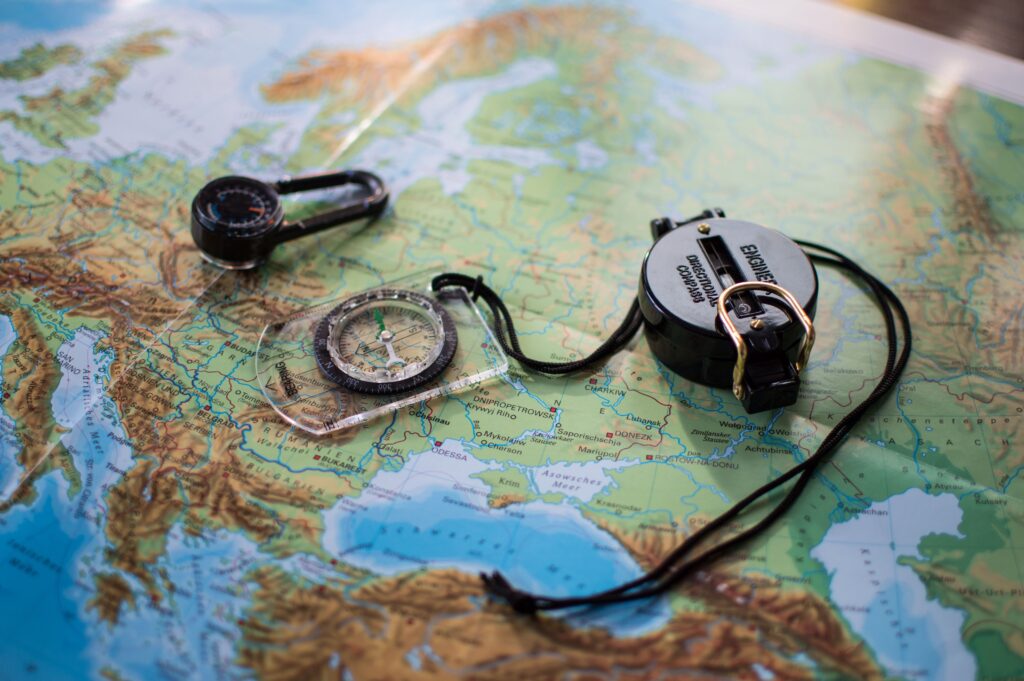
Maps and Basic Navigation Awareness
GPS is great until it isn’t…dead battery, broken screen, an app that crashes three miles from the trailhead.
This is precisely when basic navigation awareness will stop being old-fashioned and start being genuinely useful.
You don’t need to be an orienteering expert, but you should know roughly which direction you’re heading, recognize a few landmarks along the route, and have a general mental picture of how the trail loops back.
Glance at the map before you set off, not just when you’re lost. That habit alone will quietly save you more times than you’d expect.
You don’t need advanced skills for most hikes, but relying entirely on a screen can lead to problems if something goes wrong.
Power and Battery Management
Navigation tools are only useful if they stay powered.
Managing Phone Battery Life
Your phone battery is always going to die at the worst possible moment if you’re not paying attention to it.
Drop the screen brightness as low as you can still comfortably read it, kill anything running in the background that you don’t need, and if you’re in an area with no signal, switch to airplane mode (because a phone desperately hunting for cell service is burning through battery faster than almost anything else!).
Do all of that and you’ll be surprised how much longer it lasts. Still, just bring a power bank. It weighs nothing and you’ll be glad it’s there.
These small changes can make a big difference over a full day.
Power Banks: A Simple Backup
If there’s one piece of kit that consistently earns its place in a pack, it’s a power bank.
There’s no complicated setup and no learning curve; you just plug your phone in and it charges, even in the middle of nowhere.
For a day hike, a small 10,000mAh bank is more than enough to top you up once and still have juice to spare.
Going multi-day? Bring something bigger or carry two. They’re light, they’re cheap, and the peace of mind of knowing your navigation isn’t one dead battery away from failing is absolutely worth the minimal extra weight.
For most hikers, a small power bank is enough.
If you’re carrying extra batteries, chargers, and emergency gear, it’s worth learning how to choose the right hiking backpack for your hiking style.
🗒️ Free Checklist: “Never forget the essentials — grab your free Ultimate Hiking Packing List.”
Multi-Day Considerations
Running out of battery on a multi-day hike isn’t bad luck. It’s a planning failure, and an entirely avoidable one too.
While planning your power needs, don’t forget to consider how much water to carry for the distance, weather, and available refill points.
Before you leave, you should think through how many days you’re out, how heavily you’ll be using your phone, and whether your power bank can realistically cover the gap.
Turn off what you don’t need, check your maps in the morning and leave the screen alone until you actually need it again, and resist the temptation to burn through battery on photos and music when navigation has to come first.
A little discipline early in the trip means you’re not rationing the last ten percent on day three.
In short, running out of power is honestly one of the easiest navigation problems to prevent.
Navigation in Real Hiking Conditions
Navigation tools behave differently depending on the type of hike.
Well-Marked Trails
A well-marked trail has a way of making you feel like you don’t need to pay attention anymore, and that’s exactly when people take a wrong turn.
Signs get damaged, cairns get knocked over, and junctions look identical when you’re tired and moving on autopilot.
GPS is there as a backup, and not as a babysitter. Glance up occasionally, notice where you are, keep a rough sense of the route in your head.
The hikers who get turned around on straightforward trails aren’t careless people, they’re just people who stopped thinking because everything felt too easy to bother
Following good hiking etiquette also encourages hikers to stay aware of their surroundings rather than simply following the person in front.
It’s easy to become complacent here, but mistakes can still happen.
Poor Visibility and Changing Conditions
Fog, rain, and fading light don’t just make hiking uncomfortable. They quietly strip away all the visual cues you’ve been relying on without realizing it!
That distinctive ridgeline you were using as a reference point? Gone. The cairn that marked the junction? Easy to walk straight past.
This is when your GPS earns its place (not as a convenience but as a genuine tool), and when you need to be actively checking it rather than assuming you’re still on track.
Slow down and check the map more frequently than feels necessary, and trust your navigation over your instincts when visibility is poor.
Remote or Less-Marked Routes
The further you get from a well-trodden path, the more navigation stops being passive and starts demanding your full attention.
There are no reassuring signposts every half mile, the trail itself might fade in and out, and a wrong turn can take you somewhere genuinely difficult to get back from.
Check your position regularly, not just when something feels off.
This is also where having a backup matters most, like a paper map, a compass, or a GPS device that doesn’t share a battery with your music and your camera.
Remember, the more remote the route, the more your navigation system needs to actually be a system.
Long-Distance and Multi-Day Hiking
Multi-day hiking has a way of exposing every weakness in your setup that a day hike lets you get away with.
What worked fine for six hours will start to crack over three days since the app you never bothered learning properly, the power bank you assumed was big enough, and the maps you forgot to download for the second half of the route.
Simplicity and consistency matter far more out here than having the most sophisticated gear.
A straightforward setup you understand completely, with reliable battery management and a backup you actually know how to use, will outperform a complicated one every single time.
A setup that works every day is more valuable than one that works perfectly once.
If you’re preparing for a longer adventure, our guide to planning a trek in Europe covers additional route planning, logistics, and preparation tips.
Common Mistakes to Avoid
Some common mistakes that you’ll want to avoid include:
- relying on mobile signal instead of offline maps
- not checking routes in advance
- letting devices run out of battery
- overcomplicating navigation tools
- ignoring basic awareness of surroundings
Many of these mistakes can be prevented with proper preparation.
These backpacking tips for beginners cover additional planning advice before you head out.
Simple preparation prevents most navigation problems.

Fit, Comfort & Practical Use
The best navigation setup is the one you’ll actually use while you’re moving, not the one you dig out every twenty minutes, stop dead on the trail, and fumble with cold hands to figure out.
Keeping your phone, power bank, and navigation tools within easy reach starts with learning how to pack your hiking backpack efficiently.
Keep your phone somewhere genuinely accessible, like a hip belt pocket, a chest strap, or anywhere that isn’t buried at the bottom of your pack.
Stick with apps you already know rather than learning something new on the trail.
The simpler the whole thing is, the more naturally you’ll check in with it, and the less likely you are to miss something important because pulling it out felt like too much effort.
How Navigation Fits Into Your Overall Setup
Navigation doesn’t exist in a vacuum and the rest of your kit affects how well it works in practice.
A headtorch means that you can actually read your map or check your phone when the light drops without stopping to dig around for it.
And a well-organised backpack means your power bank is accessible before your battery hits five percent.
Even your layering system plays into it, because stopping to check your route in wet and cold gear is uncomfortable enough that people skip it, and that’s when small mistakes happen.
A well-rounded setup improves both safety and confidence.
Care, Maintenance & Reliability
None of your navigation setup matters if it’s waterlogged, cracked, or running maps that were last updated two years ago.
Get a decent protective case for your phone, keep it in a dry bag when the weather is bad, and then treat your power bank with the same care rather than letting it rattle around loose at the bottom of your pack.
Before every trip, run through the basics: battery charged, maps downloaded, app updated, cables and adapters actually in the bag.
This simple process takes just ten minutes and it has saved countless hikes from becoming genuinely stressful situations.
Good kit that’s looked after properly is reliable kit.
Reliability comes from preparation as much as equipment.
Explore Navigation Options by Use Case
If you want to refine your setup further, these guides break navigation down into more specific scenarios:
- Best Hiking GPS Apps (Offline + GPX)
- Simple, reliable tools for planning and following routes.
- Simple, reliable tools for planning and following routes.
- Best Power Banks for Hiking
- Compact options for keeping devices charged on the trail.
- Compact options for keeping devices charged on the trail.
- Best GPS Watches for Hiking
- Wearable devices for tracking and basic navigation.
- Wearable devices for tracking and basic navigation.
- Best Offline Maps for Hiking in Europe
- Map options designed for reliable use without signal.
FAQs About Navigation & GPS
Do I need GPS for hiking?
Not always, but it adds a useful layer of safety and confidence.
Can I rely on my phone for navigation?
Yes, as long as you prepare properly and manage battery life.
What happens if I lose signal?
Offline maps will still work if they’ve been downloaded in advance.
Do I need a backup?
For longer or more remote hikes, having a backup is a good idea.
Are GPS devices better than phones?
They can be more reliable, but aren’t necessary for most hikers.
Where to Next?
As a last note, if you would like to build a complete setup, you may also want to explore:
- Buyers Guide: Headtorches
- Buyers Guide: Day Packs
- Buyers Guide: Layering System